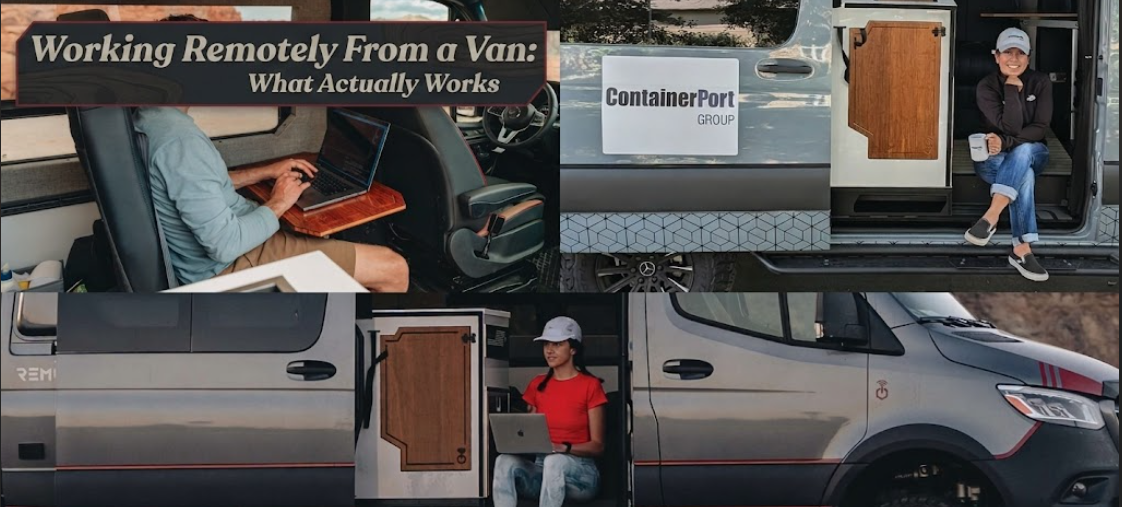
The version of remote van work that gets shared online looks suspiciously perfect. Laptop open on a wooden fold-down desk, golden light streaming through a rooflight window, coffee steaming somewhere to the left. The Wi-Fi is apparently excellent. The client calls go smoothly. Nobody mentions that the parking spot is a motorway service station at 8am because that was the only place with signal strong enough to actually upload anything.
I’ve talked to a lot of people who’ve tried this, and the stories split pretty cleanly into two groups. Those who figured out a system, and those who spent three months exhausted and behind on everything before going back to renting a flat. The difference wasn’t luck or money or even the van they were driving. It was almost always the same few things, done consistently.
1. Connectivity: Stop Treating It Like a Nice-to-Have
Everything else in your remote setup depends on reliable internet. Not adequate internet. Not “it’ll probably be fine” internet. Reliable enough that you can make a video call without dropping out three times, upload a large file without timing out, and not have to rearrange your entire working day around searching for signal.
The single biggest mistake people make is relying on one source. A single SIM, or just the van park’s Wi-Fi, or assuming a café will be good enough when something urgent comes in. That’s fine for a weekend trip. It falls apart over three consecutive weeks.
What actually holds up: two SIMs on different networks, a dedicated mobile data router rather than just your phone’s hotspot, and a rough understanding of which networks have the best rural coverage in the areas you plan to travel. In the UK, EE tends to hold signal in places where other networks drop. In more remote parts of the US, checking coverage maps before committing to a week’s stop isn’t a small detail, it’s the whole game.
A lot of vanlifers writing about their experience on Budget Van Journeys recommend keeping a running list of specific cafés and co-working locations along your route where the connection is known to be solid. These are backup nodes, not your main setup, but knowing where they are takes a lot of pressure off.
There’s also the power side of this, which connects (no pun intended) to everything else. Running a laptop, router, and monitor for six to eight hours a day draws significantly more power than most van builds are designed for. The DIY solar setup guide covers this in detail, but the short version is: if you’re working full-time from the van, a 200W panel and 100Ah battery will not cut it in winter or overcast climates. Plan for more than you think you’ll need.

2. Your Workspace Is Doing More Work Than You Realise
The ergonomics conversation gets skipped over a lot in van build discussions because it’s not as visually interesting as insulation or flooring. But if you’re working five days a week from a van, how you’re sitting matters more than most people expect. Back pain from a bad setup accumulates quietly over weeks and then suddenly it’s a real problem. Neck strain from a laptop sitting too low is the kind of thing you barely notice until you really notice it.
Your screen should sit roughly at eye level, not below it. A laptop stand or mounted monitor makes a bigger practical difference than it sounds. If your bed platform doubles as your desk, which it does in a lot of smaller builds, you need to be deliberate about the surface height when you’re seated, rather than just adapting your body to whatever the van happens to give you.
Seating support gets ignored constantly. Van bench seats and bed edges weren’t designed for six-hour working sessions. A proper cushion or a compact camp chair positioned at your workspace is worth every penny. Some people reconfigure a passenger seat specifically for desk use, which works well if the build allows it. There are some genuinely clever ideas for this in the van storage and space guide, especially for tighter setups.
And the one thing that causes the most friction: natural light versus screen glare. Working with your back to a window is almost always better than facing one. It sounds minor. It isn’t.
3. Time Management Looks Different When Your Office Moves
Most remote work advice assumes a fixed address, a consistent morning routine, and a working environment that stays the same from day to day. None of that is true in a van.
Some weeks you’ll be somewhere beautiful and wildly distracting, and trying to maintain a strict 9 to 5 will feel like a fight. Other weeks you’ll be parked in a grey industrial estate because the signal is good and the days will blur together.
What actually works is deciding in advance which hours are non-negotiable. Not necessarily the same hours every day, but a fixed total. Maybe it’s five focused hours every weekday and the schedule shifts around that. Maybe it’s mornings only, with afternoons for driving. The specific structure matters less than having one.
Where people consistently go wrong is treating the van as a permanent co-working holiday where work and travel happen in equal measure without compromising either. They don’t, not without serious planning. Moving locations frequently while maintaining client work and deadlines is genuinely tiring in a way that surprises people who haven’t tried it. A lot of long-term van workers end up choosing slower travel than they originally imagined, staying four or five days in one spot rather than moving every day, because the cognitive load of constant movement is higher than expected.
If you’re working through the financial side of all this, the breakdown at van life monthly costs for 2026 is worth reading carefully before committing to a route and a client schedule simultaneously.
4. The Tools That Hold Up (and the Ones That Don’t)
There are about forty apps that claim to solve remote work from the road. Most of them solve problems you didn’t have and create ones you didn’t expect. The table below reflects what people who’ve done this for more than a few months actually continue using, and what quietly gets dropped.
| Tool / Setup | Worth It? | Notes |
|---|---|---|
| Mobile data router (e.g. GL.iNet Mango, Netgear Nighthawk M6) | Yes | More stable than phone hotspot; runs cooler over long sessions |
| Second SIM on a different network | Yes | Non-negotiable for rural areas; redundancy matters |
| Laptop stand or adjustable monitor arm | Yes | Ergonomics compound over weeks; this pays off quickly |
| Dedicated work device (separate from personal laptop) | Depends | Helps with mental separation. Not always budget-realistic |
| Co-working membership (e.g. Regus Flexi, WeWork On Demand) | Situationally | Excellent for city stopovers; useless beyond signal range |
| Noise-cancelling headphones with decent mic | Yes | Calls in small shared spaces; background noise is constant |
| Offline-capable app versions | Yes | Google Docs offline, Notion offline, downloaded Slack history |
| Overnight parking apps | Yes | Knowing where you’re sleeping the night before a big work day matters |
That last row connects to something that doesn’t get nearly enough attention: parking strategy and work strategy have to align. If you have a critical client call on Thursday, you don’t want to be scrambling for a spot Wednesday night. The apps covered in Budget Van Journeys’ overnight parking guide are genuinely part of the remote work toolkit, even if it doesn’t feel like it at first.

5. What Nobody Gets Right on the First Attempt
There’s a pattern in almost every honest account of remote van work. The first six to eight weeks, the gap between expectation and reality is at its widest. That’s also when most people decide it doesn’t work.
It does work.
But not in the way it looks from the outside.
You will have days where the connection drops mid-upload and you’re sitting in a random layby trying to finish something that should have taken twenty minutes. You will make a client call from what is, technically, a supermarket car park. You will probably have one afternoon where everything fails at once and you do an emergency café sprint with your laptop bag over your shoulder.
None of that is failure. That’s just the version of remote work that exists in three dimensions rather than in a carefully edited photograph.
Budget Van Journeys covers the honest version of van life across most of its content, and remote work is no different. The people who make this lifestyle sustainable don’t have a perfect setup. They have a flexible one, and they understand the difference between those two things fairly early on. That shift in thinking, from “I need this to work perfectly” to “I need this to work reliably enough,” tends to happen around the two-month mark. And after that, it tends to run a lot more smoothly.
FAQs
How much mobile data does working remotely from a van actually use per month? It depends on your work type, but video calls are the biggest consumer, roughly 1-2GB per hour on a standard HD setting. If you’re on calls for two to three hours a day and doing regular browsing and file uploads otherwise, somewhere between 50-100GB a month is a realistic starting point. Heavy users go higher. Having at least 100GB available across your two SIMs is a reasonable baseline to plan from.
Can I work full-time from a van using just my phone as a hotspot? For occasional short bursts, maybe. For sustained daily use, no. Phone hotspots throttle under prolonged load, overheat in warm vans during summer, and drain your phone battery significantly. A dedicated mobile data router on its own SIM is more stable, runs more consistently over a full working day, and doesn’t leave your phone gasping by 3pm.
Is working remotely from a van actually cheaper than renting? Often yes, but the difference tends to be smaller than people expect once you factor in data costs, fuel for moving between locations, paid site fees when free spots aren’t available, and the upfront cost of gear like solar and a data router. The honest cost breakdown is worth reading in full before you commit to treating van life as a straightforward cost-cutting move.
What size van works best for remote working? A high-roof medium-to-long wheelbase van gives you the most liveable workspace, enough interior height to sit upright without slouching, and enough length to separate your sleeping area from your desk area. Something like a long-wheelbase Transit or a Sprinter high-roof hits that balance well. Very large vans can be harder to park in towns and cities where you’ll often want to be for better signal and café access.
How do you handle client calls when you’re parked somewhere noisy? Mostly by not letting that situation happen in the first place. Good noise-cancelling headphones with a quality microphone handle a lot, but the more reliable answer is building your call schedule around your parking plans, not the other way around. Within a few weeks most people naturally start aligning call times with quieter spots, and it becomes second nature.
The sustainable version of remote van work is the version nobody photographs. It’s quieter and more deliberate than the content suggests. And once you get the basics right, it actually holds together pretty well.